Make colors mean something
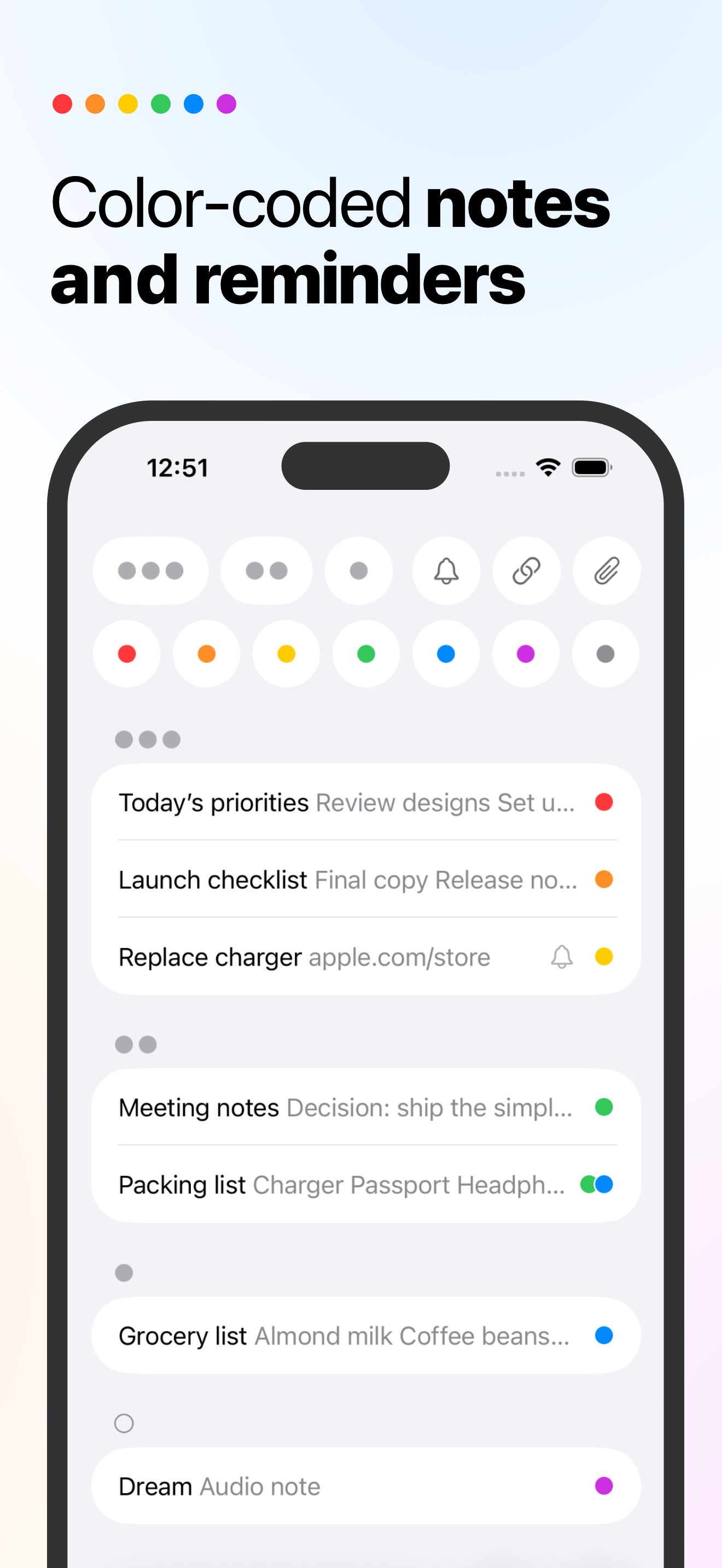
Red can mean work, blue can mean personal, green can mean recipes, and purple can mean ideas. The system is yours.
 NotePile
A color-coded notes app for iPhone, iPad, and Mac.
Capture quick notes, give them meaning with colors, and add Markdown, checklists, files, links, and recurring reminders when a note needs more context.
Notes pile up because real life does. Use colors for your own meanings, then combine them with priorities, pins, Markdown checklists, links, files, and reminders when you need to narrow the pile.
NotePile is for notes, checklists, reminders, and links that do not need a whole productivity system, but still need to be found later.
Red can mean work, blue can mean personal, green can mean recipes, and purple can mean ideas. The system is yours.
Use priority and pins when a note should stay visible, without turning a quick note into a project.
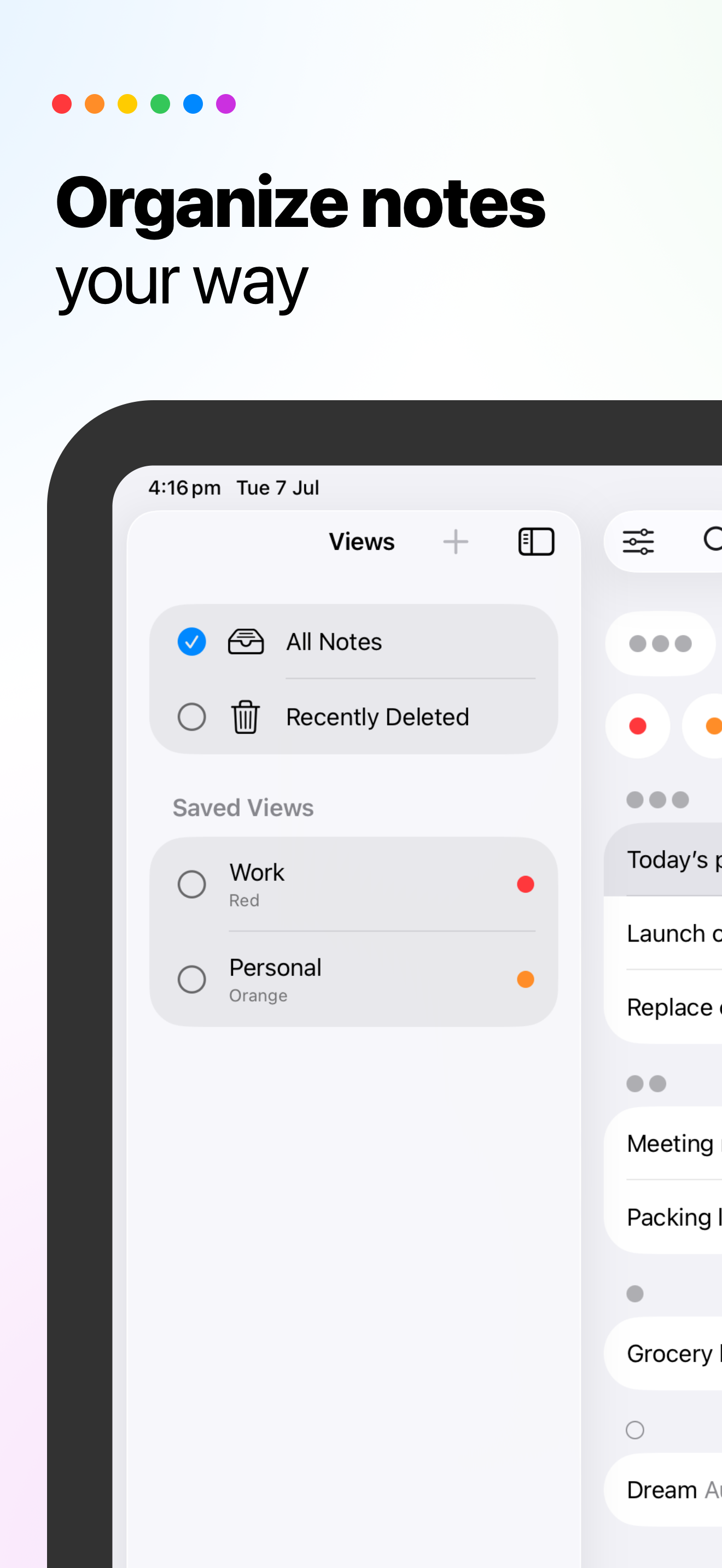
Filter by color, priority, pins, reminders, links, files, or text, then save the view for next time.
Save links, web pages, images, and files to NotePile from the share sheet on iPhone or iPad, then organize them with colors, checklists, and reminders.
Save links, files, ideas, Markdown notes, checklists, reminders, recipes, work notes, and follow-ups in a system that stays light enough to use every day.
If you are looking for a notes app with widgets, iCloud sync, Markdown, checklists, recurring reminders, Siri, file attachments, backups, or share sheet capture, NotePile keeps those tools close to the note itself.
Put saved views on your Home Screen, so work notes, high-priority notes, or color-coded lists stay visible without opening the app.
Keep your notes available across iPhone, iPad, and Mac with iCloud sync. NotePile does not require a separate account for the core note workflow.
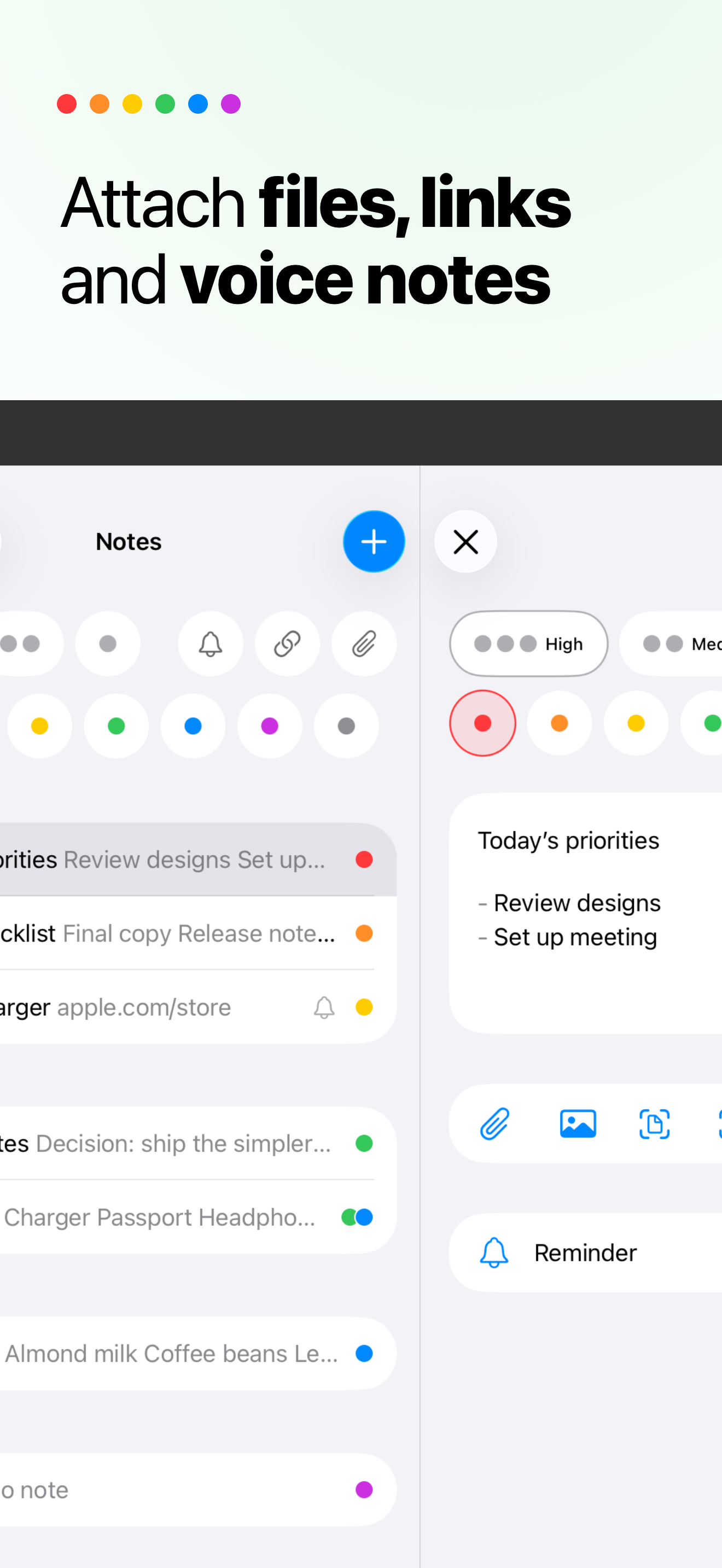
Add one-time or recurring reminders to the note itself, so the alert brings back the checklist, link, file, or idea it belongs with.
Use Markdown for headings, links, lists, and task checklists when plain text needs a little more structure.
Attach supporting files, save links in note text, and filter for notes that carry extra context.
Use iCloud sync for availability, Recently Deleted for deleted notes, and backup export, import, and automatic local backups for separate recovery paths.
Show saved views in widgets, then start capture from Siri, Spotlight, Shortcuts, Control Center, or Lock Screen where available.
Direct answers for people comparing lightweight notes apps for iPhone, iPad, and Mac.
NotePile is a lightweight color-coded notes app for iPhone, iPad, and Mac. It helps you capture and organize notes with colors, priorities, pins, saved views, Markdown, checklists, recurring reminders, links, files, share sheet capture, iCloud sync, App Shortcuts, and backups.
NotePile makes notes more visual and scannable without forcing folders or a full workspace. Colors can mean whatever you decide.
Yes. NotePile is an Apple Notes alternative for iPhone, iPad, and Mac users who want color-coded notes, saved views, reminders, widgets, share sheet capture, and backups in a lightweight notes app.
Yes. NotePile does not force a folder system or fixed label names. You can give each color your own meaning.
NotePile is for people who want a lightweight personal notes app rather than a full workspace. It works for urgent tasks, Markdown notes, checklists, recurring reminders, files, links, recipes, work notes, and durable ideas.
No. NotePile does not require an account for the core personal note workflow.
Yes. NotePile can save links, attach files, and filter notes that include links or files.
Yes. NotePile can capture links, web pages, images, and files from the share sheet on iPhone or iPad so they can be organized with colors, checklists, reminders, and saved views.
Yes. NotePile supports Markdown formatting and task checklists, so a note can hold quick text, links, lists, and follow-ups.
Yes. NotePile includes App Shortcuts, so you can start capture from Siri, Spotlight, Shortcuts, Control Center, and the Lock Screen.
Yes. NotePile can save custom views built from filters, search, sort, grouping, and pinned-note settings.
Yes. iCloud sync keeps notes available across iPhone, iPad, and Mac, Recently Deleted protects deleted notes before permanent removal, and backup export, import, and automatic local backups provide separate recovery paths.
Yes. NotePile is available on the App Store as a free iPhone, iPad, and Mac app.
Download NotePile free for iPhone, iPad, and Mac on the App Store.